Case 04 / 04Job system + accounting
Jobber to QuickBooks Online: before and after
How I'd stop Jobber jobs and payments drifting from QuickBooks Online, so every completed job ends in an invoice or a named exception and the totals tie out.
Worked example on representative data.
- Area
- Job system + accounting
- Tools
- Jobber · QuickBooks Online
- Typical scope
- US$2,500–4,500
- Timeline
- About 5 weeks · 4 fixed milestones
01Context
A home-services business with about 14 field technicians (HVAC and plumbing), one owner, one office manager and an outside accountant.
Three months of Jobber invoices, checked against QuickBooks Online one by one.
The systems in play
| System | What it does for the business |
|---|---|
| Jobber | Quotes, scheduling, jobs, visits, invoices and card payments. Where the office works all day. |
| QuickBooks Online | The general ledger, bank feeds, tax reports and the accountant’s workspace. |
02Problem
What the owner sees
- Revenue in Jobber never equals revenue in QuickBooks Online
- Some finished jobs are never billed
- Customers are chased for invoices they already paid
- The accountant keeps sending questions back
The two systems are meant to agree, but they drift. Nobody notices until month-end, when the numbers do not tie out and the questions start.
| Everyday situation | What goes wrong |
|---|---|
| Credits, refunds and over-payments | Recorded one way in Jobber and another in QuickBooks Online |
| Edited or deleted invoices | A change after sync leaves the two sides different |
| Deposits and tips | Land as income in one system and as a payment in the other |
| Customers entered twice | Balances split across two or three records |
| Items named differently | Revenue lands in the wrong accounts |
03Approach
Four steps, in this order. Each one ends with something you can read and check.
- LookA read-only review of Jobber and QuickBooks Online. Nothing is changed. Three months of invoices and payments are pulled from both sides.
- MatchEvery Jobber invoice is looked for in QuickBooks Online and sorted into four piles: matched, missing, different amount, or showing twice.
- FixCustomers are merged to one record, items are lined up, and finished jobs reach QuickBooks Online once. It is tested on your own jobs before go-live.
- WatchAnything that still does not tie out lands on a short weekly list with a named owner. The same three months are re-checked at handover.
| Item | What is wrong | Owner | What happens |
|---|---|---|---|
| Job 4821 | Finished, no invoice in either system | Office manager | Invoice it or record why not |
| Invoice 9312 | US$150 lower in QuickBooks Online (deposit) | Office manager | Adjust and note it as agreed |
| Customer: apartment complex | Two customer records | Owner | Merge, keep the one with history |
| Invoice 9347 | Showing twice in QuickBooks Online | Accountant | Void the duplicate |
| Payment US$1,840 | No matching bank deposit yet | Accountant | Check next feed and mark cleared |
04What was built
What was set up, and why each piece is there. The detail of how it is configured is agreed in the scoping call.
Show the build, layer by layer
| Layer | What was set up and why |
|---|---|
| Quotes | Standard quote templates for each service line, built on one shared item list. An approved quote becomes the job, so nothing is retyped. |
| Jobs and visits | Job types with a few required custom fields (service line, how it is paid, bill-on-completion). A visit cannot be closed while a required field is empty. |
| Invoices | One invoice per job or per recurring visit, with deposits recorded as deposits. Invoice numbers carry across unchanged so every invoice can be found on both sides. |
| Jobber to QuickBooks Online sync | Sync settings set deliberately: what flows (customers, invoices, payments), when, and into which accounts. Tax mapping and the clearing account are checked against real invoices before go-live. |
| QuickBooks Online classes | One class per service line, set from the Jobber custom field, so profit by service line is a report, not a project. |
| QuickBooks Online Projects | Multi-visit jobs roll up into a Project, so cost and revenue for one job sit together. |
| QuickBooks Online items | One item list that matches Jobber, each item tied to the right income account. |
How the data moves
- Quote approved in Jobber
- Job and visits completed
- Invoice created once
- Payment recorded
- Posted to QuickBooks Online by class, Project and item
- Exceptions list reviewed weekly
05Outcome
The aim is not a tidier spreadsheet. It is money that is billed once, numbers that agree and a short list that shows when something breaks. The figures below show the shape of a good result.
- Every finished job ends in an invoice or a named exception.
- Revenue by service line is a report, because classes are set at the source.
- The accountant works from numbers that already agree.
- The same three months re-check clean at handover.
- The office has written rules, so the set-up survives staff changes.
06Before and after
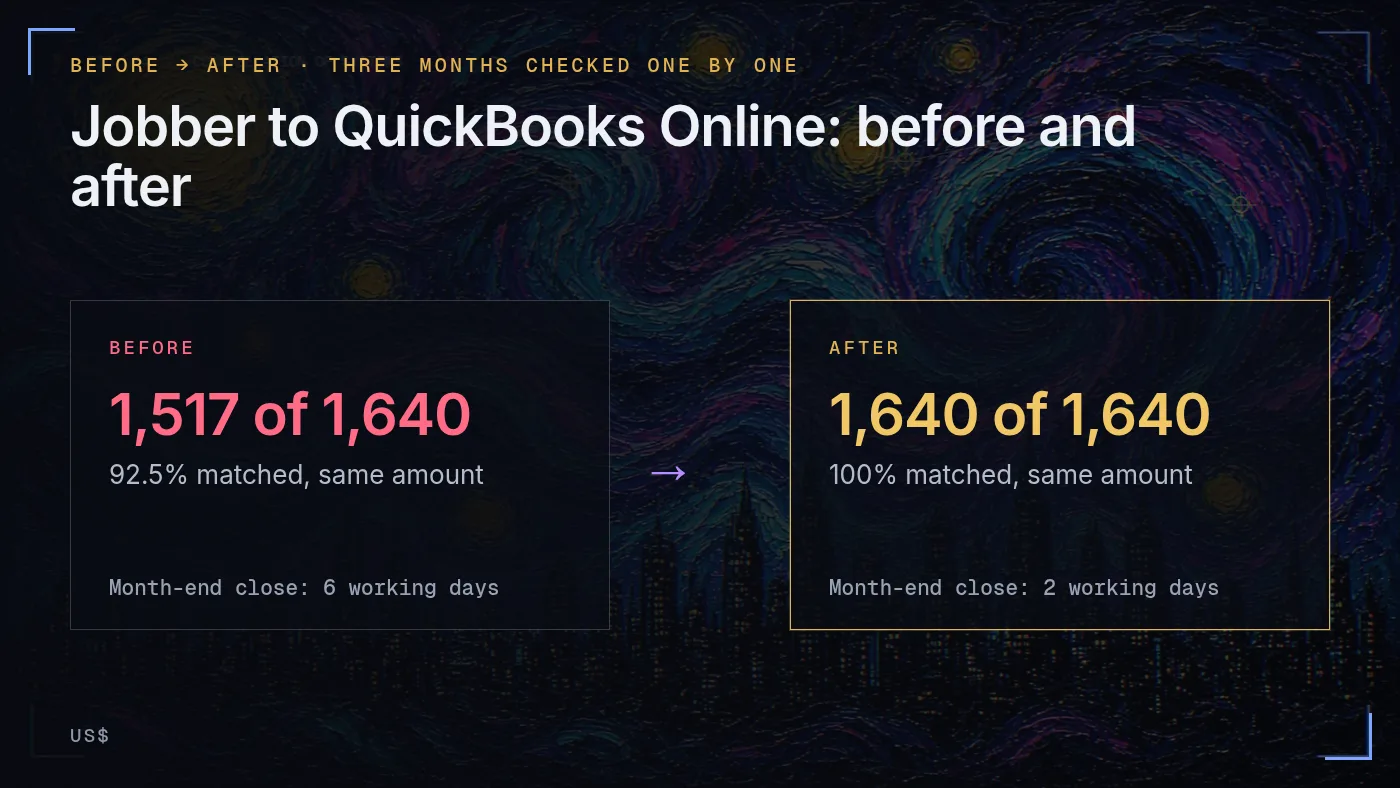
The same three months, checked at the start and re-checked at hand-over.
| Check | Before |
|---|---|
| Jobber invoices in the period | 1,640 (US$1,284,500) |
| Matched to a QuickBooks Online invoice, same amount | 1,517 (92.5%) |
| In Jobber, missing from QuickBooks Online | 49 (US$38,900) |
| In both, but the amounts differ | 41 (net difference US$6,150) |
| Showing twice in QuickBooks Online | 33 (US$21,400 counted twice) |
| Office time spent retyping and chasing | About 11 hours a week |
| Month-end close | About 6 working days |
| Check | After |
|---|---|
| Jobber invoices in the period | 1,640 (US$1,284,500) |
| Matched, same amount | 1,640 of 1,640 |
| Missing from QuickBooks Online | 0 |
| Amounts differ | 0 unexplained (3 listed as agreed adjustments) |
| Showing twice | 0 |
| Weekly exceptions list | About 12 items, reviewed in about 20 minutes |
| Office time spent retyping and chasing | Under 1 hour a week |
| Month-end close | About 2 working days |
07Scope and milestones
A fixed scope agreed in writing before anything starts. Each milestone is paid when you sign off its deliverable.
| Area | Included |
|---|---|
| Health Check | Read-only review of Jobber and QuickBooks Online, a 45-minute call, written findings and a fixed quote |
| Billing check | Three months of invoices compared one by one between the two systems, with a findings list |
| Customers | One clean customer list across both systems, duplicates agreed and removed |
| Price list and items | Jobs and line items billed the same way in both systems |
| Invoice flow | Finished jobs reach QuickBooks Online once, correct and complete, tested on your own jobs before go-live |
| Exceptions | A weekly list of anything that does not tie out |
| Handover | Written SOPs, a recorded walkthrough and files you own, plus 14 days of fixes after go-live |
| Not included | Tax filing or payroll. |
| Also outside the scope | Changes to how jobs are priced. Moving to different accounting software. Software subscriptions (billed to you by the vendors). |
| Milestone | Deliverable | Timing | Share |
|---|---|---|---|
| M1 Health Check and billing check | Findings list and a fixed quote | Week 1 | 20% |
| M2 Clean-up | One customer list, one set of items, differences listed | Weeks 2 to 3 | 30% |
| M3 Invoice flow live | Finished jobs reach QuickBooks Online once, tested on your own jobs | Weeks 3 to 4 | 35% |
| M4 Handover | SOPs, walkthrough, weekly exceptions list, 14 days of fixes | Week 5 | 15% |
Typical scope for this kind of project: US$2,500–4,500
About 5 weeks across 4 fixed milestones. The Systems Health Check (US$300, fixed) comes first and confirms the scope.
Tell me what’s bugging you and I’ll tell you where I’d look first.
Send a short note on Upwork about what is slowing the business down. I’ll reply with where I’d start, and whether the US$300 Systems Health Check is the right first step.