CASE FILE 14/14CLASS: SAMPLE BUILDDATA: REALISTIC, NOT CLIENTTYPE: Websites & scripts
Sample build: realistic data, built to show how I'd handle this work. Not client work.
Sample buildWebsites & scripts
Branded slide template filled from a spreadsheet with Python
One audit deck, 46 placeholders, filled from a CSV with 0 tokens left behind
- 6slides
- 46placeholders
- 2example decks filled
- 0unfilled tokens left
01Summary
- A 6-slide audit deck is built once as a template with 46 placeholders.
- A Python script fills it from one CSV row per prospect; 2 example decks were produced.
- 0 placeholders were left unfilled in the outputs.
A Python script fills it from one CSV row per prospect; 2 example decks were produced.
Key point, computed from the sample files
02The scenario
In this scenario each outreach deck is copied and edited by hand, so names and numbers get missed and the design drifts from deck to deck.
Source: sample files
03Issues in the data
Source: sample files
04How I approached it
- A 6-slide editable PowerPoint template with [Token] placeholders for names, scores and findings.
- A CSV with one row per prospect (46 columns).
- A Python script that fills every token, sizes the score bars, colours the ratings and exports PDF and PNG.
- 2 filled example decks for placeholder prospects.
Source: my design and the sample files
05How this applies to your business
- Assess and designMap the current process, size the gaps from your own data, agree the design and a written scope.
- Build and testBuild in your own tools with the checks built in, then run real cases end to end.
- Document and hand overSOPs, a walkthrough and a handover, so your team runs it without me.
| Activity | Business owner | Specialist (me) | Your team |
|---|---|---|---|
| Approve the template | A | R | C |
| Maintain the CSV | I | C | R |
| Run the fill | I | C | R |
Source: sample plan
06Controls and checks
| Check | What it catches | Status |
|---|---|---|
| No unfilled placeholders in outputs | A name or score left as a token | PASS |
| Every CSV column maps to a placeholder | Data that never reaches the deck | PASS |
Source: sample files (Checks / Controls tab, test output or run log)
07What the files show
- 6slides
- 46placeholders
- 2example decks filled
- 0unfilled tokens left
Source: sample files, measured by script. Sample data, not a client result.
- The script reports 0 unfilled placeholders across the 2 filled decks.
- Every filled deck exports to PDF and a PNG snapshot for email.
08Risks and how the build handles them
| Risk | Mitigation built in |
|---|---|
| A placeholder is left in | The script stops with an error if any token is left unfilled |
| Layout breaks with long text | Every filled deck is also exported to PDF for a visual check before it is sent |
Source: sample design
09Appendix: files
A. Screenshots of the deliverable
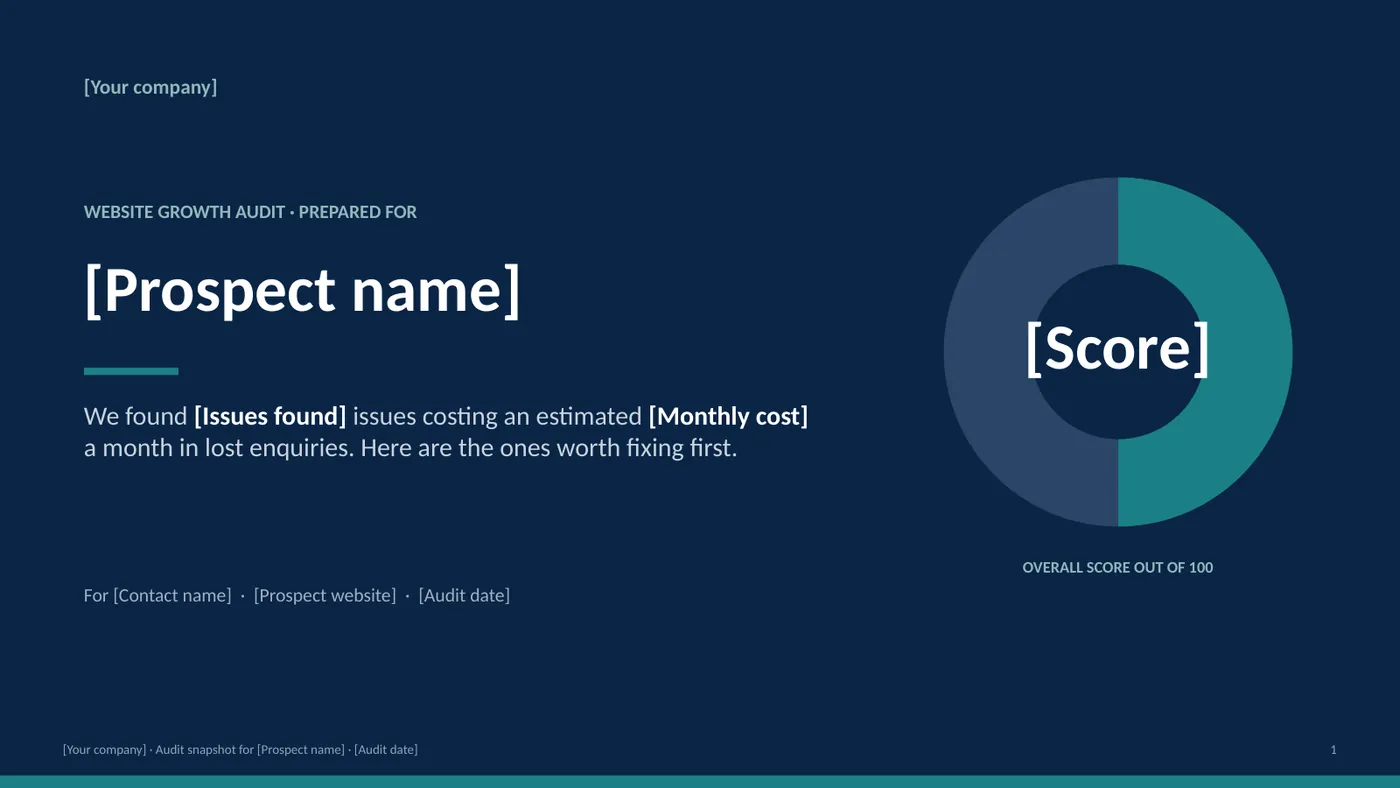
Exhibit 8: Blank template cover slide with placeholder tokens for company, prospect and score
Source: sample files
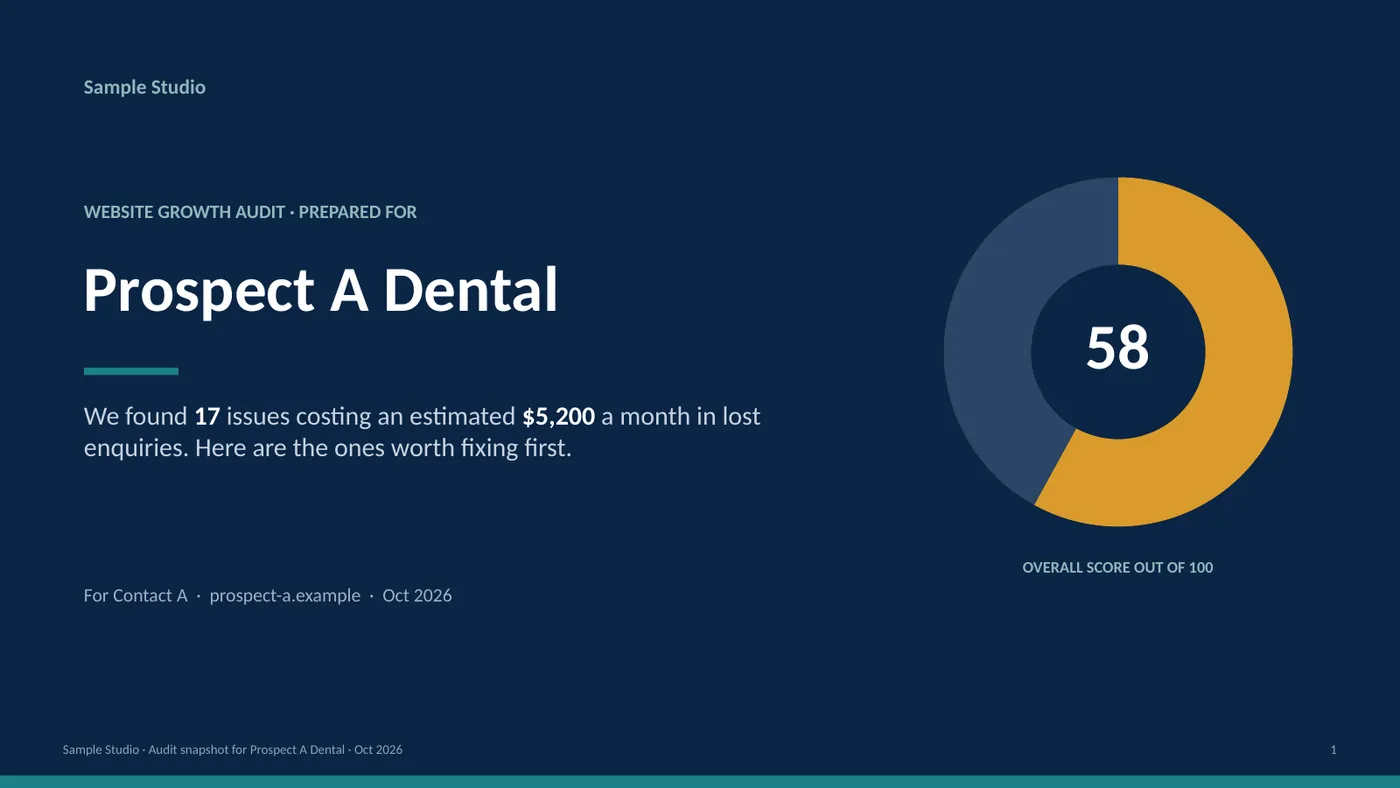
Exhibit 9: Filled cover slide for placeholder Prospect A Dental with score ring
Source: sample files
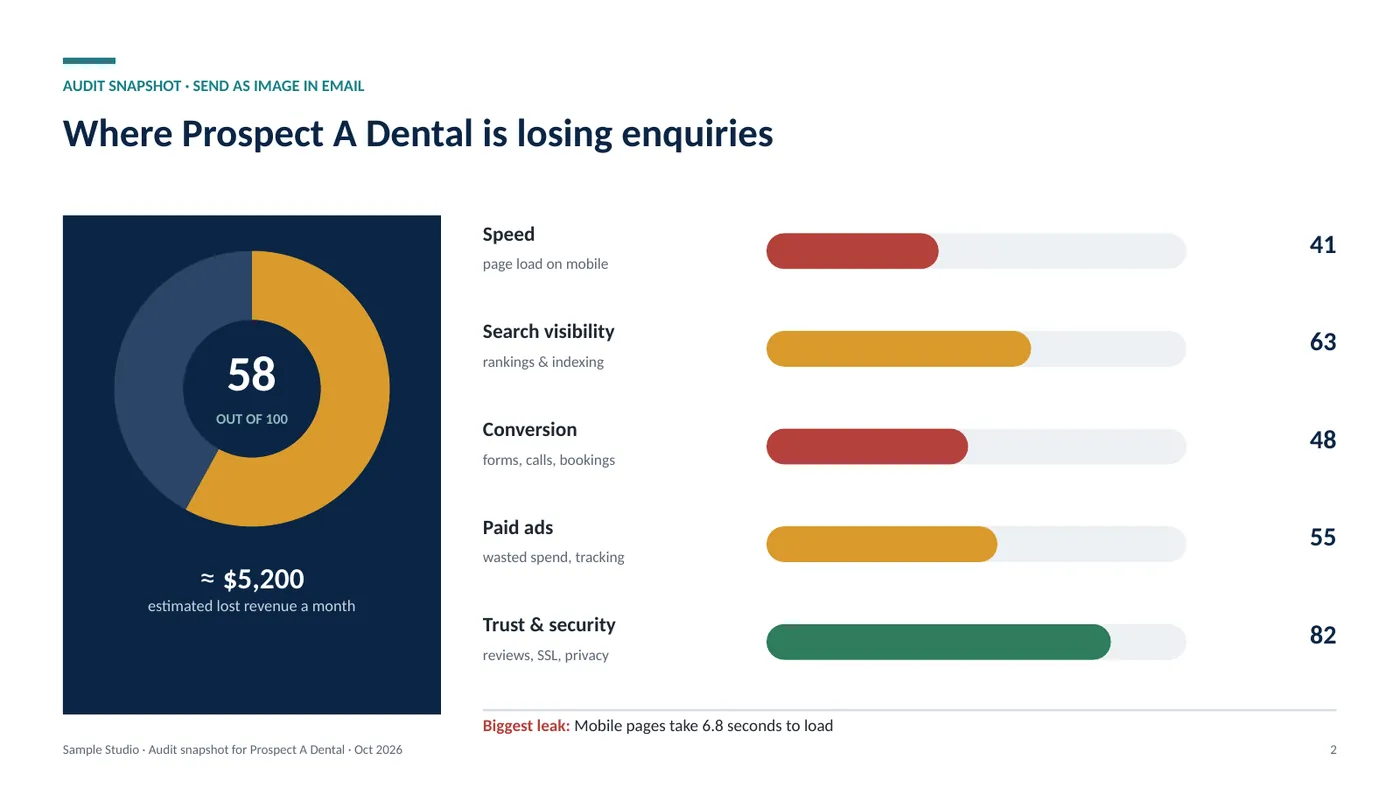
Exhibit 10: Filled audit snapshot slide with five category scores
Source: sample files
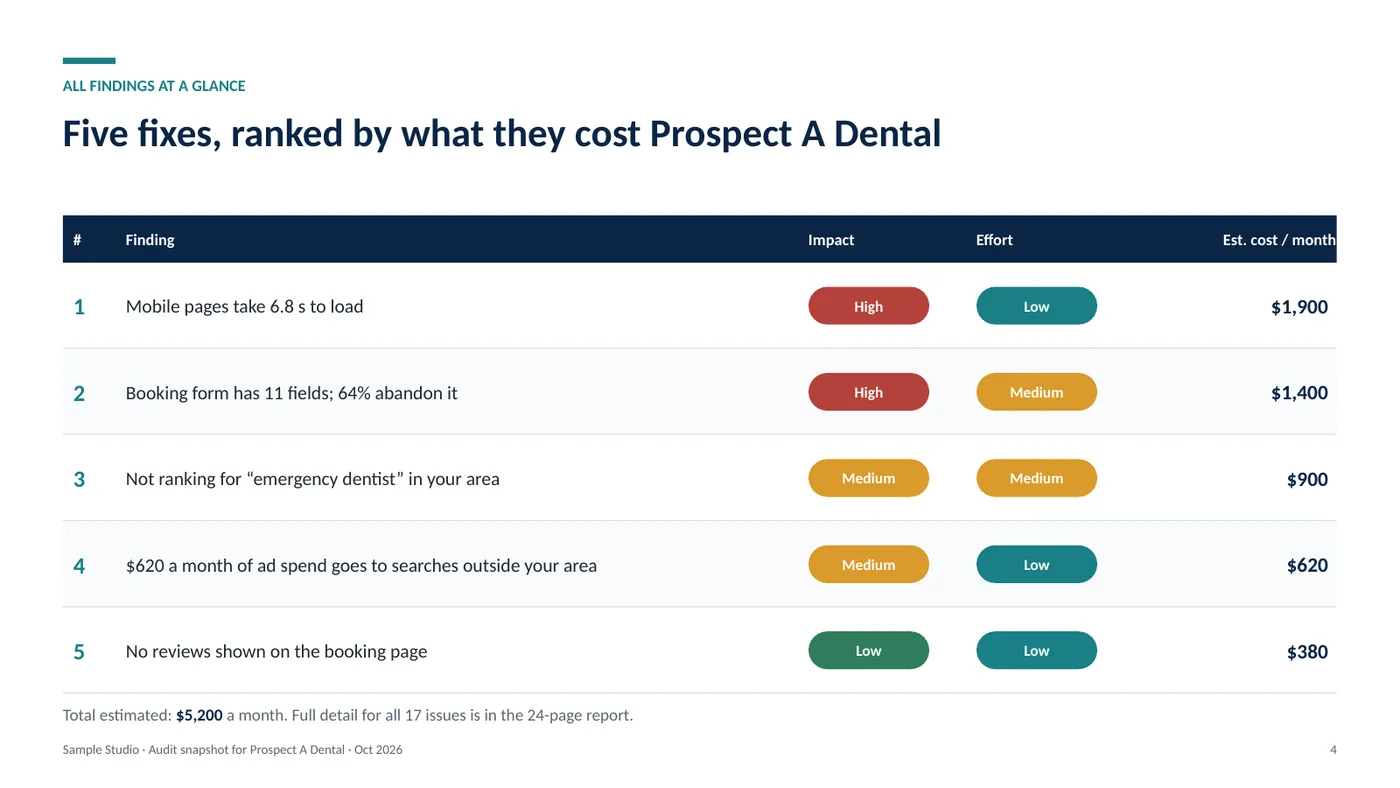
Exhibit 11: Filled findings slide with impact and effort pills
Source: sample files
def fill(row, out):
    prs = Presentation(TPL); left = set()
    for slide in prs.slides:
        for tf in frames(slide.shapes):
            for p in tf.paragraphs:
                for r in p.runs:
                    for tok in re.findall(r"\[([^\]]+)\]", r.text):
                        if tok in row: r.text = r.text.replace(f"[{tok}]", row[tok])
                        else: left.add(tok)
Source: fill_template.py
B. Downloadable files
| File | What it is | Size |
|---|---|---|
| Audit-Outreach-Template.pptx | Editable 6-slide template with [Token] placeholders | 60.6 KB |
| Audit-Outreach-Template.pdf | Blank template (PDF) | 74.6 KB |
| Filled-Example-Prospect-A.pdf | Filled example deck (placeholder prospect) | 78.8 KB |
| prospects.csv | Input rows: one row fills one deck | 2.6 KB |
| fill_template.py | Script that fills the template from the CSV | 3.3 KB |
Sample build: realistic data, built to show how I'd handle this work. Names are placeholders and no client data is used.
Have a similar problem in your business?
Hire me on Upwork (opens in a new tab)